RUN THE CREW.
KILL THE CHAOS.
Your schedules, crews and jobs. All connected. On every phone, in English or Spanish.



RUNNING THE CREW SHOULDN'T BE
THE HARDEST PART OF YOUR DAY.
- The week lives on a whiteboard only you can read.
- Your phone rings at 6 a.m. with “where am I going today?”
- Hours show up on scraps of paper and in texts on Friday.
- Photos and change orders get lost in the group text.
And you're the one keeping it all straight.

Your whiteboard, now on every phone.
Here's one day at our demo company, Coastal Bay Painting.
From the first crew out
to the last job done.
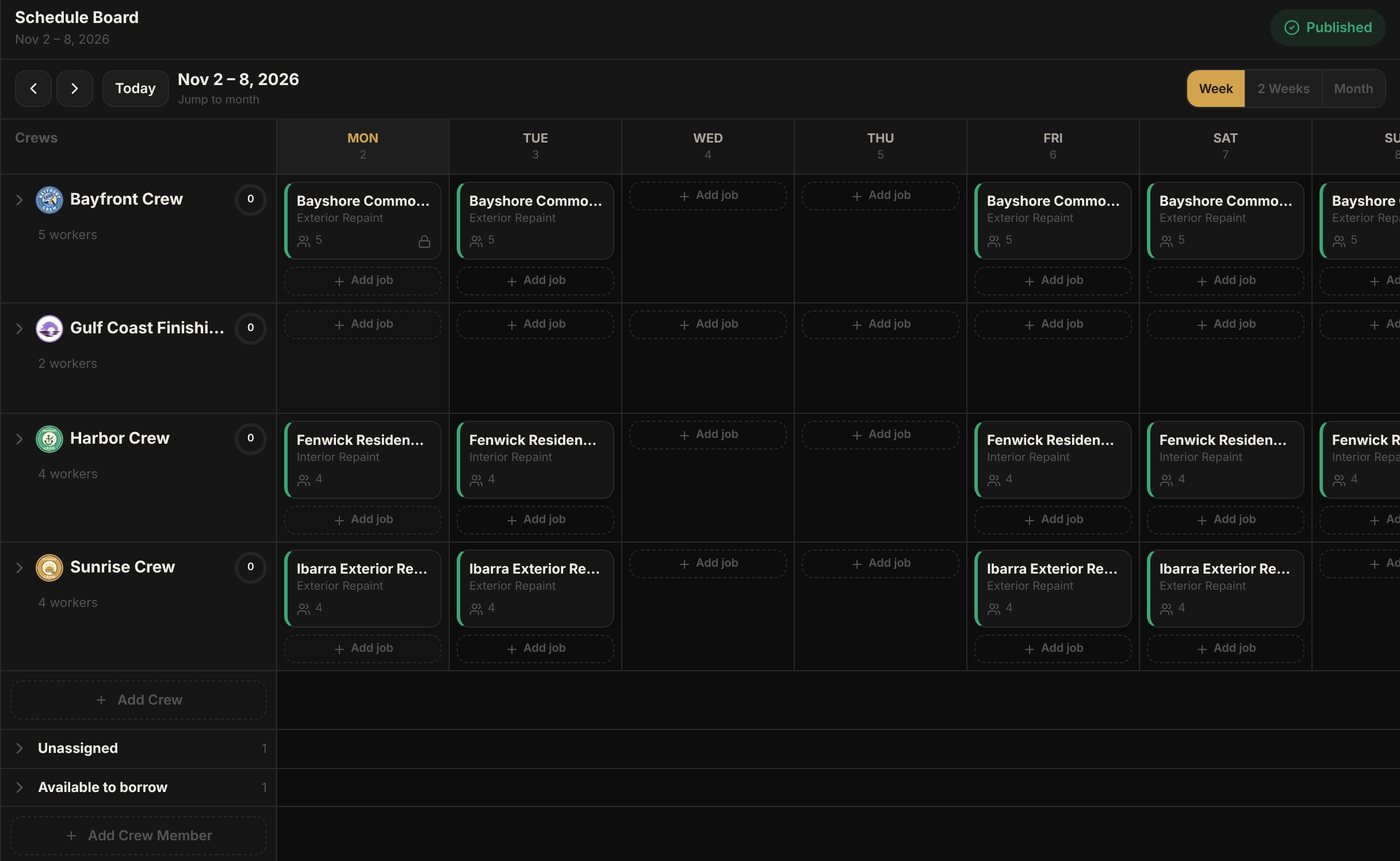
Follow one job, Bayshore Commons, and the Bayfront Crew through the day.
The plan is in place.
Drag Bayshore Commons onto the Bayfront Crew's days and see who's free across every crew. Changes stay a draft until you publish the week.
Everyone knows the plan.
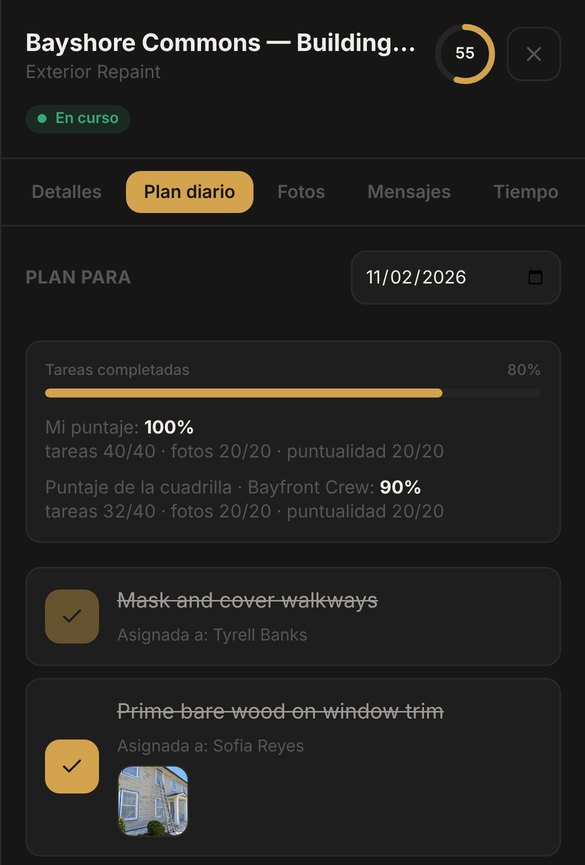
Sofia opens JefeHQ on her phone, in Spanish. She sees today's job and the tasks assigned to her. Nobody has to call you to ask where to go.
The work keeps moving.
The crew clocks in at the job site. Tasks get checked off, photos go on the job, and the customer signs a change order on the phone. If someone clocks in away from the site, you see a flag.
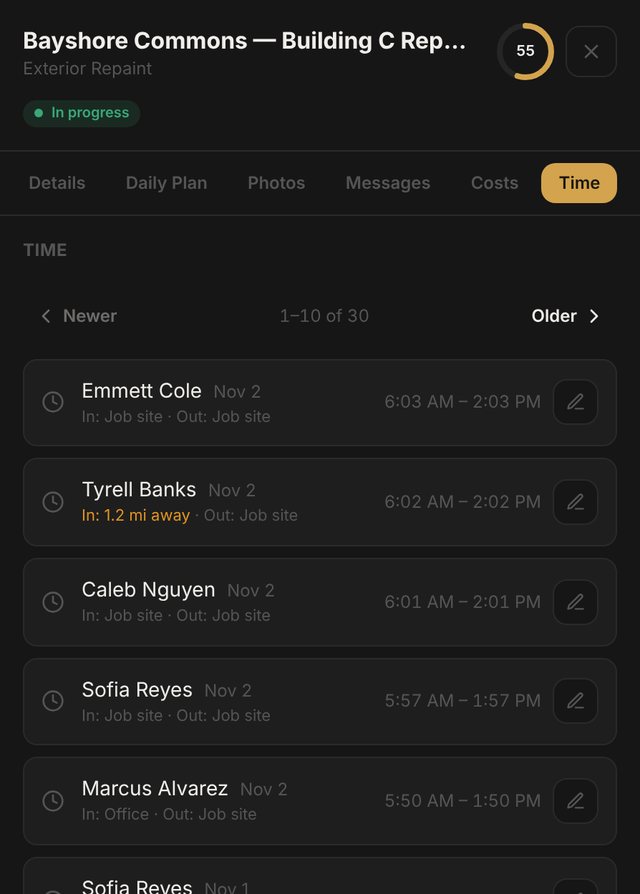
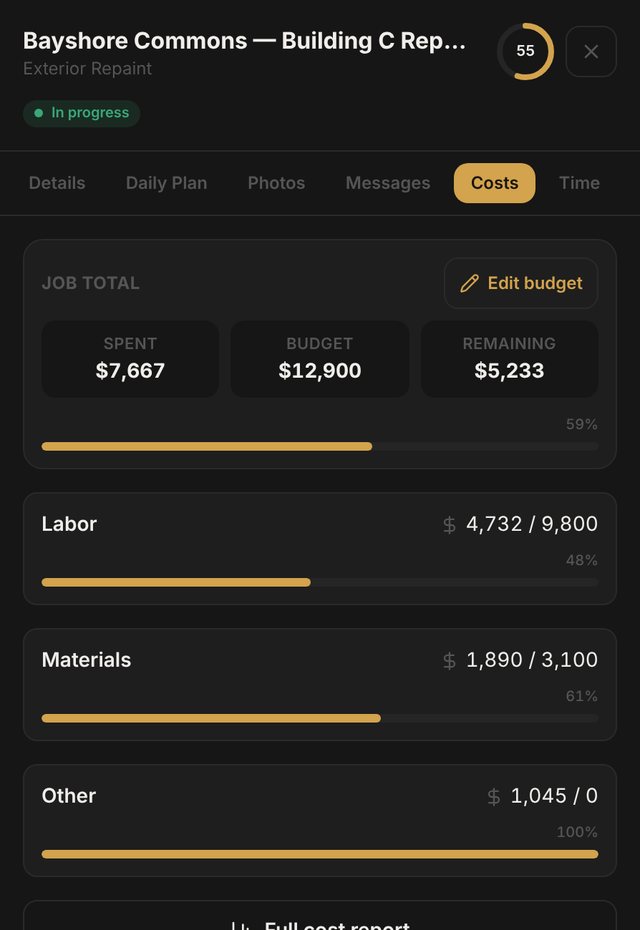
You know where things stand.
Hours feed into job costs and payroll-ready reports. Labor, materials and other costs add up against the budget, so you can see how Bayshore Commons is tracking while there's still time to adjust.
The rest of running a crew, in the same place.
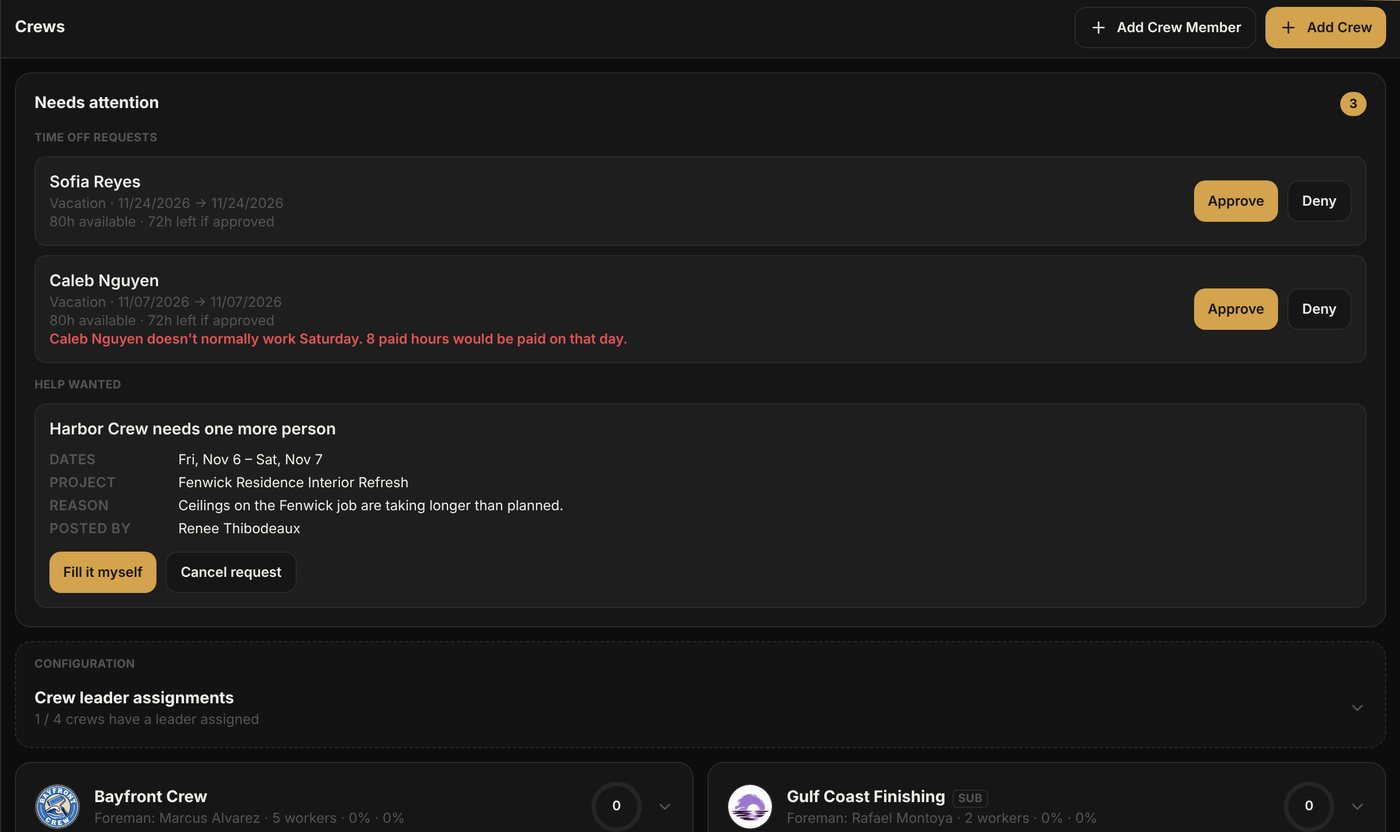
Put people where they are needed
- Approve time off with the balance in front of you
- Borrow a worker from another crew for set days
- Post help-wanted; other crew leaders offer someone
YOU PLAN IT IN ENGLISH.
ELLOS LO VEN EN ESPAÑOL.
You plan in English. Your crew reads the app in Spanish. Each person picks their language on their own phone.
- Screens, buttons and menus follow each person's language
- Tasks and notes show the way they were typed
- The demo tour runs in Spanish on a Spanish phone
- This whole page in Spanish: jefehq.com/es

Every feature.
A plan that fits your crew.
No feature packages and no per-person charges inside your plan. Pick the plan by the size of your team.
Questions
Do I need a credit card to try it?
No. The demo needs no sign-up at all, and the trial is 14 days with every feature and no card.
How does pricing work?
You pay one monthly or yearly price based on how many people are on your team: up to 10, 25, 50 or 100. Every plan has every feature. Your own owner account doesn't count.
Do my employees need to download an app?
No download. JefeHQ runs in the phone's web browser. You invite them by email and they sign in.
Can my English- and Spanish-speaking people use it together?
Yes. Each person picks English or Spanish, and the app's screens and buttons follow. Tasks and notes show the way they were typed.
Can I use it with subcontractors?
Yes. Add your sub as a subcontractor crew and put them on the Board like any other crew. Their crew leader gets a login, sees the jobs you give them, and enters bills on each job from their own price list. You approve the bills, and approved bills count toward that job's labor cost. The sub doesn't have to add his people; he can run his crew from his own login. If you want his people on JefeHQ too, you send each of them an invite. They can clock in so you know who was on site, but those hours don't go into your payroll. Everyone on a subcontractor crew counts toward your plan's team size.
What happens when I change the schedule?
Your changes stay a draft until you hit Publish. Then each crew sees the new days on their phones.
Does it track my crew all day?
No. JefeHQ checks location only when someone clocks in or out. A clock-in or clock-out away from the job site, the office or another saved place is flagged for you to review. It doesn't track your crew during the day.
Do I have to pick a plan during the trial?
No. Pick one any time before the 14 days are up. If you don't, the account pauses until you do.
Can I cancel, and what can I export?
Cancel any time from Billing. You keep access until the end of the period you paid for. Reports download as CSV or PDF.
Does it work with QuickBooks?
JefeHQ doesn't connect directly to QuickBooks. You can export labor and payroll data as CSV files to use in your accounting or payroll process.
What trades is it for?
Any business that runs on crews: painting, landscaping, pest control, cleaning, remodeling, and more.
Something else? Write to hello@jefehq.com.
See what a better-organized
workday looks like.
Walk through Coastal Bay Painting's day in the demo, no sign-up needed. Or start your own 14-day trial.